Yes, there is a browser version
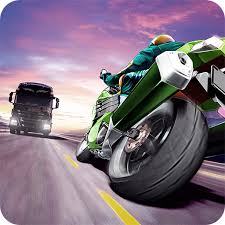
For years Traffic Rider was a mobile-only game. That changed in 2025 when a browser version credited to skgames appeared on the CrazyGames portal. It runs on desktop and mobile browsers, so you can play Traffic Rider online without installing anything.
It is a good way to try the game on a school or work computer where you cannot install apps, or to play a quick round on a laptop.
Browser version vs the app
| Browser | App | |
|---|---|---|
| Install | None | About 150 MB |
| Offline play | No | Yes |
| Progress | Tied to the portal and browser | Tied to your Play Games or Game Center account |
| Controls | Keyboard or touch | Tilt or touch |
| Best for | Quick sessions | Long-term progress |
What 'online' means inside the app
Inside the mobile app, "online" refers to features rather than a separate mode. When you are connected you get online leaderboards, achievements and rewarded ads. The rides themselves work offline. There is no real-time multiplayer racing, which is one of the most requested features in player reviews.
Avoid fake online game sites
Plenty of sites use "Traffic Rider online" in their titles but serve a different game, or wrap a real one in heavy pop-up ads. Signs to watch for:
- Pages that ask you to install an extension or "player" before the game loads.
- Notification permission prompts as soon as the page opens.
- A game that looks nothing like the screenshots on the official store listing.
How to start Traffic Rider online
- Open a modern browser such as Chrome, Edge, Firefox or Safari.
- Go to a well-known game portal that lists Traffic Rider by skgames, such as CrazyGames.
- Wait for the game to load and pick keyboard or touch controls.
- Allow the page to go fullscreen for the best view of the road.
If the game runs slowly, close other tabs and make sure hardware acceleration is turned on in your browser settings.
Keyboard controls tips
Playing Traffic Rider online on a laptop means steering with keys. Use one hand for left and right and the other for throttle and brake. Tap the steering keys rather than holding them, because short taps give finer lane control. Wheelies are easier to time on a keyboard than on a phone, so the browser version is a good place to practice them.
Saving progress in the browser
Browser games usually save progress in your browser storage or in a portal account. Clearing your browser data, switching browsers or using a private window can wipe it. If you care about progress, sign in to the portal if it offers accounts, or move to the mobile app where your progress links to Google Play Games or Game Center.
Is Traffic Rider online safe for kids?
The game itself is rated for ages 3+ on Google Play. Game portals, however, show their own ads, which may not suit young children. For kids, the app with parental purchase controls is a more predictable choice.
Our recommendation
Use the browser version as a taster. If you enjoy it, install the app for the full career, offline play and saved progress. Our download guide shows the safe way on every platform, and the PC guide covers playing the full version on a computer.
Frequently asked questions
Does online always mean multiplayer?
No. Online features can include leaderboards or other connected services without live races against other players.
Will browser progress transfer to my phone?
Do not assume saves are shared. Check the specific browser version and account options before investing in a long run.
How can I identify a trustworthy game page?
Check the publisher, page address and permissions, and avoid sites that ask you to install unrelated software.
Conclusion
A browser session can be convenient for a quick ride, while the mobile app provides its own features and save system. Check the source and available controls before starting.