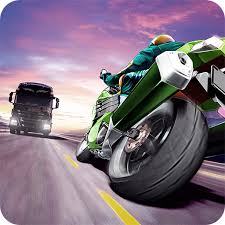
Two ways to play on PC
The official Google Play listing lists Windows as a supported platform for Traffic Rider. That support comes through Google Play Games for PC, Google's own client for running Android games on Windows. The second option is an Android emulator, such as BlueStacks, which also offers the game.
Method 1: Google Play Games for PC
- Download Google Play Games for PC from Google's official website.
- Install it and sign in with your Google account.
- Search for Traffic Rider and click Install.
- Launch the game. Your Play Games progress carries over from your phone.
Google's client needs a modern Windows 10 or 11 PC with hardware virtualization enabled in the BIOS. Check Google's requirements page before installing.
Method 2: An Android emulator
- Download the emulator only from its own official website.
- Install it and complete the Google sign-in inside the emulator.
- Open the Play Store in the emulator and install Traffic Rider from skgames.
- Map keys for throttle, brake and steering if the default layout does not suit you.
Controls on keyboard
On PC you lose tilt steering, so arrow keys or WASD take over. Keep steering on one hand and throttle and brake on the other. Some players prefer a gamepad, which most emulators support with simple mapping tools.
Google Play Games vs emulator
| Google Play Games for PC | Android emulator | |
|---|---|---|
| Made by | Third-party company | |
| Setup | Simple, few settings | More options, more steps |
| Key mapping | Pre-set by Google | Fully customisable |
| Extras | Syncs with your phone | Multi-instance, macros |
For most players, Google Play Games for PC is the cleaner choice because it comes from Google and uses the same account as your phone.
Syncing progress between phone and PC
Sign in with the same Google account on both devices and connect to Google Play Games inside Traffic Rider. Progress tied to your account can then follow you between platforms. Ride on your phone during the day and pick up on the big screen in the evening.
Fixing common PC problems
- Game will not start: enable virtualization (Intel VT-x or AMD-V) in the BIOS.
- Black screen: update graphics drivers and switch the emulator renderer between DirectX and OpenGL.
- Input lag: lower the emulator resolution and close screen recorders or overlays.
- Keys not working: reset the key mapping to defaults and set it up again.
Is it allowed to play on PC?
Yes. Traffic Rider is officially listed as available on Windows through Google Play Games, and using a reputable emulator to run a legitimately installed app is common. Just avoid modified builds and only download software from official websites.
Performance tips
- Give the emulator at least 4 GB of RAM if your PC has 8 GB or more.
- Install on an SSD for faster loading.
- Update your graphics drivers.
- Close heavy browser tabs while playing.
Want to play without installing anything at all? See Traffic Rider online in a browser.
Frequently asked questions
Can I play Traffic Rider on Windows?
Availability depends on your region, device and the current supported PC platform. Check the official listing for your setup.
Will my mobile save appear on PC?
Synchronization depends on the game and platform account support. Verify the available sign-in and save options before switching.
What should I do if controls feel awkward?
Review the available key mappings and practice gradual steering in a low-pressure session.
Conclusion
Start by checking official PC availability and system requirements. Choose comfortable controls, test performance and confirm save support before moving a long-running game.